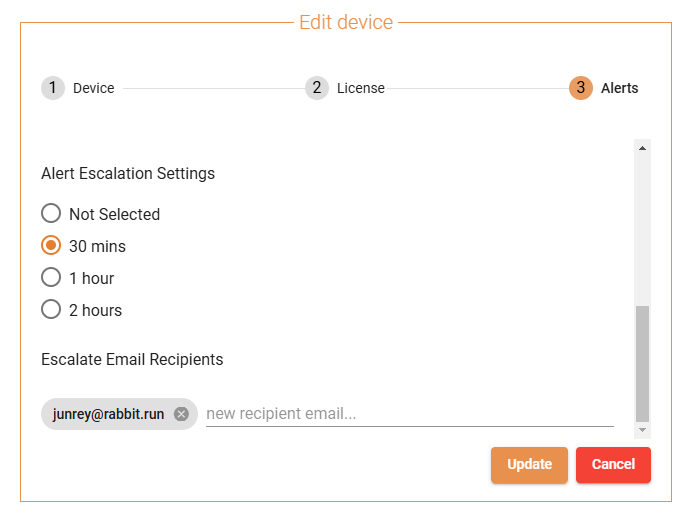
If the Partner/Customer wants to be sent Email Alerts 30 minutes and not immediately after a LINK or the DEVICE is DOWN, this can be done with the Escalation Alerts. Escalation Alerts can be setup for 30 minutes, 1 hour or 2 hours.
- Setting up Escalation Alerts.
- Click on the Pencil Icon to edit the device information.
- Under the ALERTS tab, scroll down to ESCALATION ALERTS
- Select the TIME DURATION you want to be sent Email Alerts after the LINK or the DEVICE is DOWN (make sure that LINK STATUS or DEVICE STATUS is selected).
- Add the EMAIL ADDRESS you want the alerts to be sent to.
- Click on SAVE UPDATE.