


PowerWatch is an RRT feature that enables the RRT to Monitor a connected UPS via Data Port and setup Alerts for Power Outage and Low Battery Power.
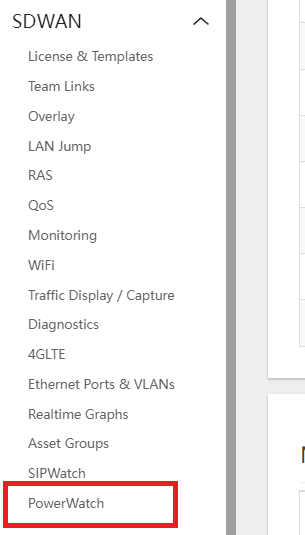
- To enable, navigate to SDWAN > POWERWATCH
- Under the CONFIGS Tab, click on the ENABLE UPS check box to turn on and the ENABLE ALERT checkbox to turn on the Email alerts notification.
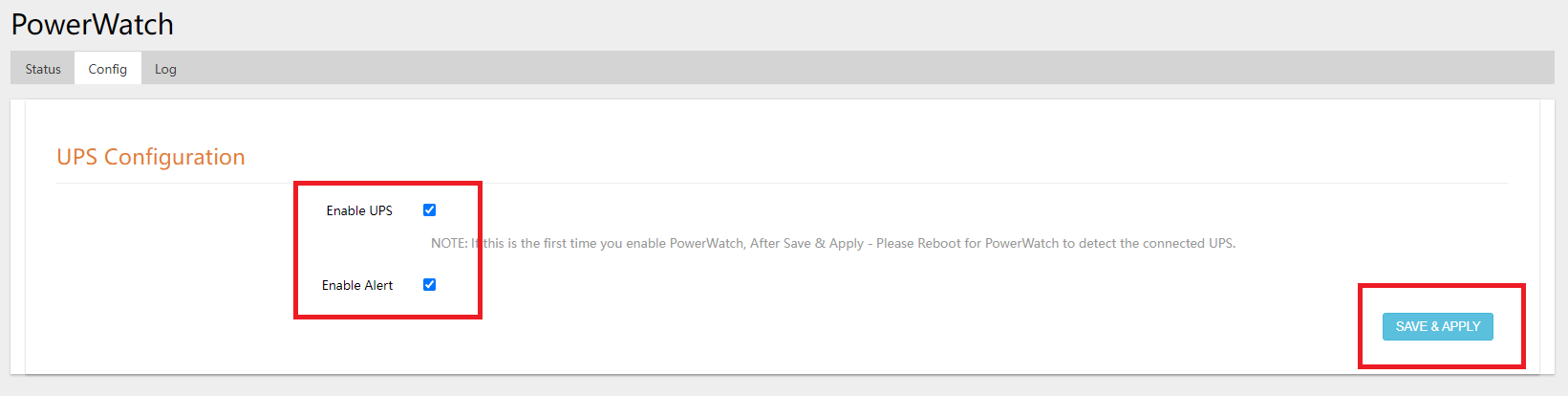
- Note: Please make sure that the UPS used has a DATA PORT and is connected to the RRT’s USB PORT at the back.
- Click on SAVE & APPLY to save changes.