


- Log in to the portal at https://customers.rabbit.run/
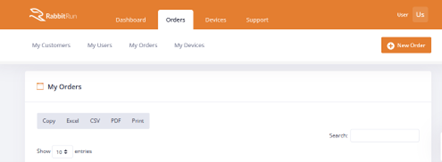
- Click on ORDERS > MY ORDERS
- Click on NEW ORDER.
- If any special-order code is given, paste it into the field and click on Update order code.
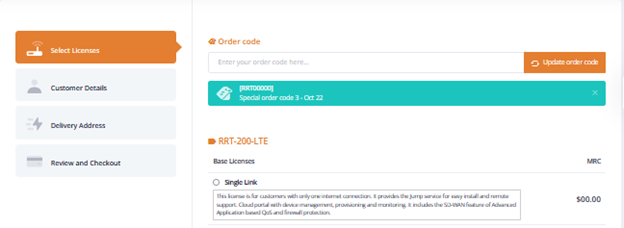
- Select the Base License for the order. Make sure it is under the correct model, i.e., RRT-200-LTE, RRT-300-LTE. Only one base license per order may be selected.
- Select the Addon Licenses for the order. Some addons may be automatically checked upon base license selection.
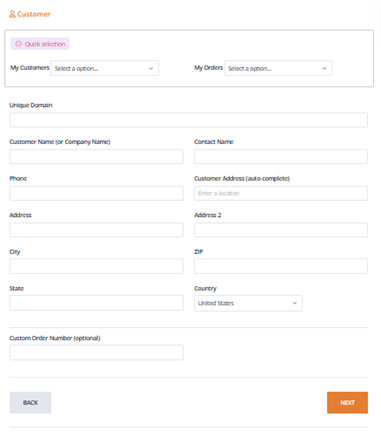
- Fill in the details of the customer where the site will be installed.
- This will determine some of the configuration on staging.
- The details may be copied down from previous customers or orders by picking from the My Customers or My Orders dropdown.
- Enter Custom Order Number if available and click on Next.
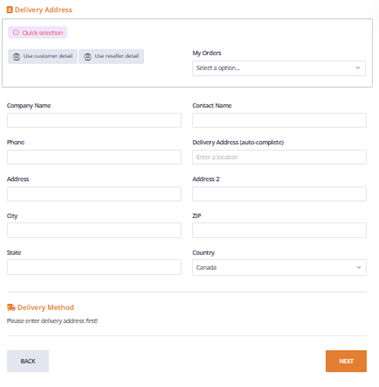
- Fill in the details for the delivery address.
- Clicking on Use customer detail will copy over the data from the previous page.
- Details may also be copied from previous orders by selecting from the My Orders dropdown.
- Select the Delivery mode.
- Ground and 2nd Day Air AM shipping are available in the portal.
- If 2nd Day Air AM is preferred, please send a support ticket for other delivery options.
- Confirm the Customer and Delivery Details then select the Payment Method if available.
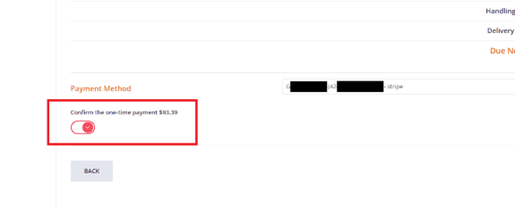
- Once the Payment Method (card on file) is selected, click on the “Confirm the one-time payment” slide button and on CHECK OUT TO COMPLETE ORDER.
- Once the Payment Method (card on file) is selected, click on the “Confirm the one-time payment” slide button and on CHECK OUT TO COMPLETE ORDER.
- Confirm the Order and contact support if there are any issues.