

- Under DEVICES view, click on the PENCIL icon to edit device information.

- Device Section
- Under DEVICE, edit the Hostname, Location of the site, Organization the device will be assigned to and click on the ACTIVATE THIS DEVICE checkbox upon installation.
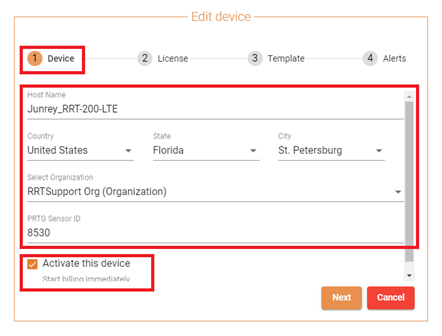
- Under DEVICE, edit the Hostname, Location of the site, Organization the device will be assigned to and click on the ACTIVATE THIS DEVICE checkbox upon installation.
- License Section
- Under LICENSE, check the CHECKBOX of the license and the addon the device was ordered for.
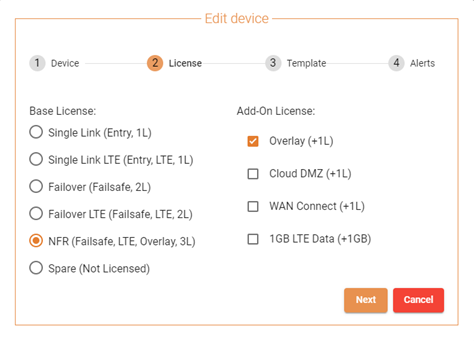
- Under LICENSE, check the CHECKBOX of the license and the addon the device was ordered for.

Small Business SD-WAN