

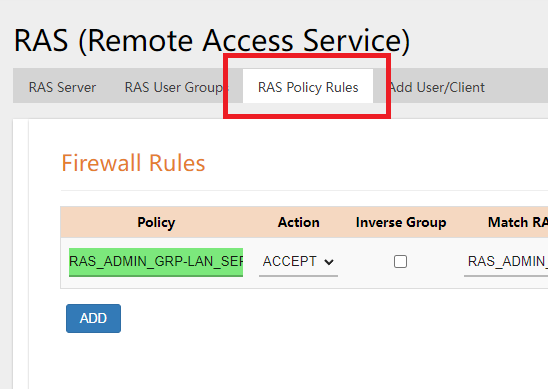
- Click on the Add User/Client Tab
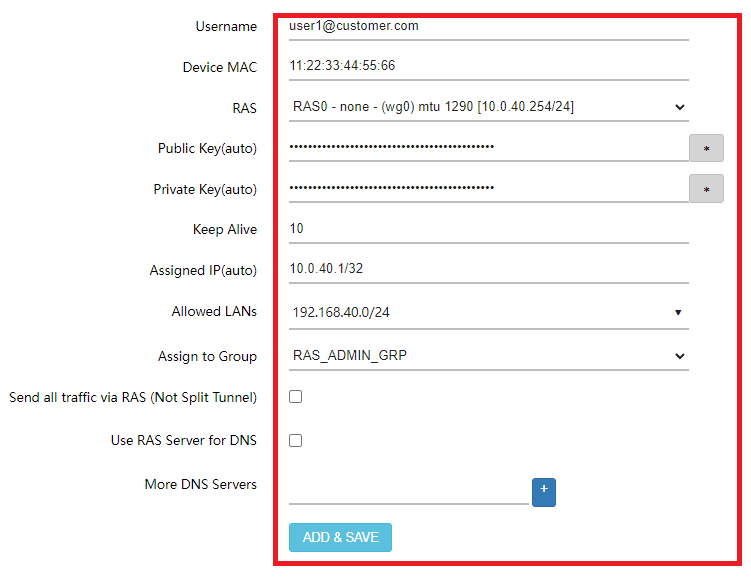
- Setup the username and MAC Address of the user as identification.
- The ALLOWED LAN(s) allows the user to access specific subnets.
- The ASSIGN TO GROUP assigns the user to a USER GROUP created earlier.
- Hit SAVE&APPLY to save the user.
- A QR Code and a .conf file will be created which can be scanned with a WIREGUARD Mobile Client or can be downloaded and uploaded to a WIREGUARD Client.

Small Business SD-WAN