LAN Jump is an RRT Service that allows the user to access the UI of a device under the RRT on ports 443 and 80 given that it is enabled on the LAN device.
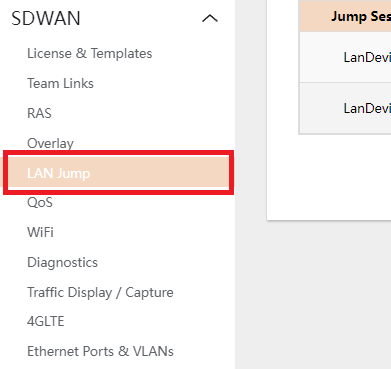
- To enbale, navigate to SDWAN > LAN JUMP
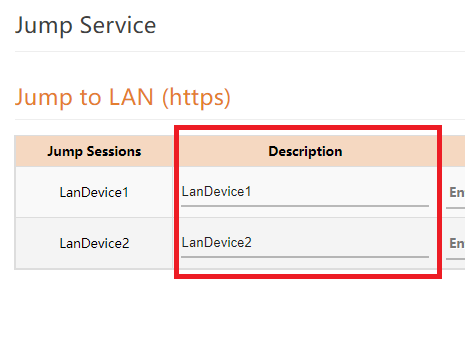
- Edit the DESCRIPTION for the desired name for the device to be accessed.
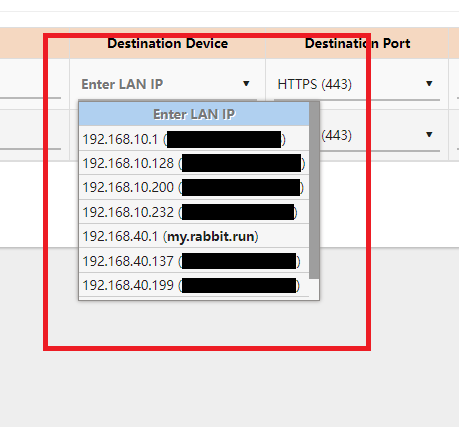
- Select the LAN IP of the device the user wants to jump.
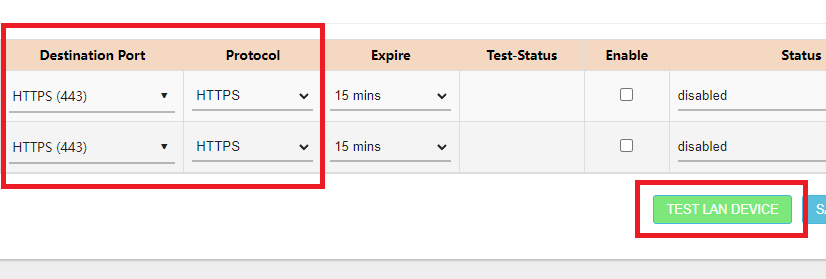
- If the user wants to test which port is allowed in the LAN Device, select the DESTINATION PORT and the PROTOCOL then click on the TEST LAN DEVICE button to see if the port is allowed.
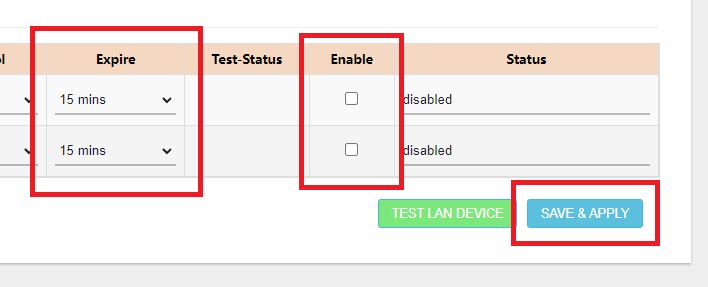
- Select the time limit for activation, check the ENABLE checkbox and click on SAVE&APPLY.
- Back at DEVICES PORTAL, a new ICON beside the WEBJUMP and TERMINAL icon should appear. This would allow the user to access the LAN Device setup for LAN JUMP.
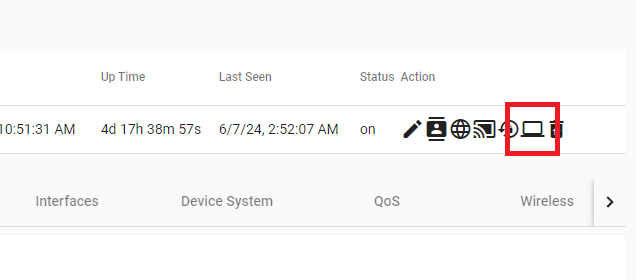
- Clicking the new ICON should lead to the UI of the Device in the Network.