

-
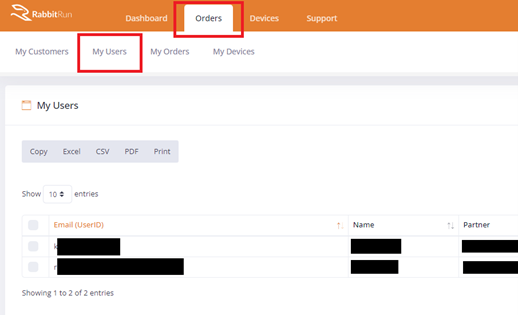
- Click on ORDERS > MY USERS
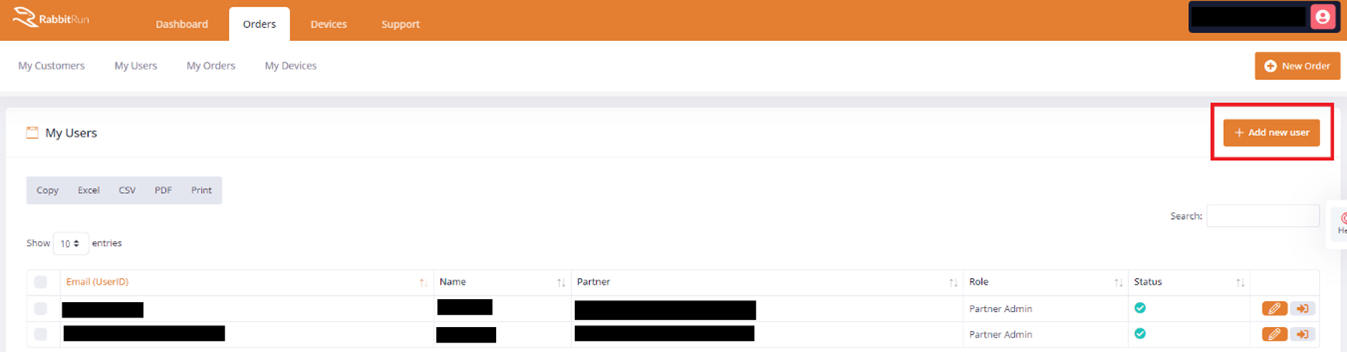
- Click on + ADD NEW USER
- Fill out the details Email, Full name. Click on the ORGANIZATION dropdown and select the Organization the user will be assigned to.
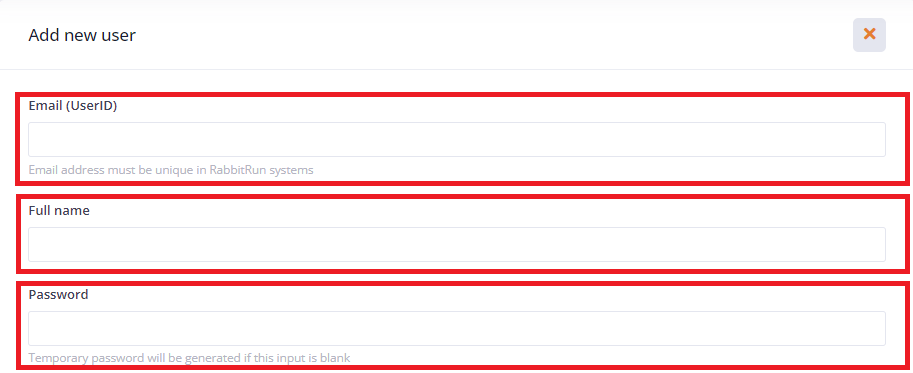
- Note. Leaving the PASSWORD field blank will send an email to the user’s email to set up a password.
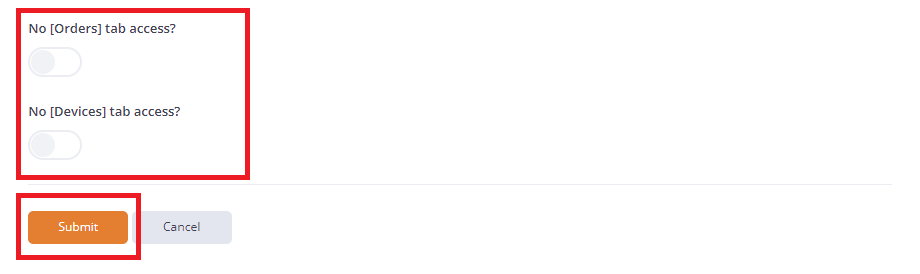
- NO [ORDERS] TAB ACCESS button – turning this on will disable ORDERS tab for the user and will inhibit the user from making orders.
- NO [DEVICE] TAB ACCESS button – turning this on will disable the DEVICES tab and the user will not be able to access the Devices Portal.
- Click SUBMIT
- Click on ORDERS > MY USERS

Small Business SD-WAN